Industries
Industries
By Dusaw Team
How a hotel key PMS integration keeps your lock system in step with reservations, which events it must handle, and what to test before go-live.
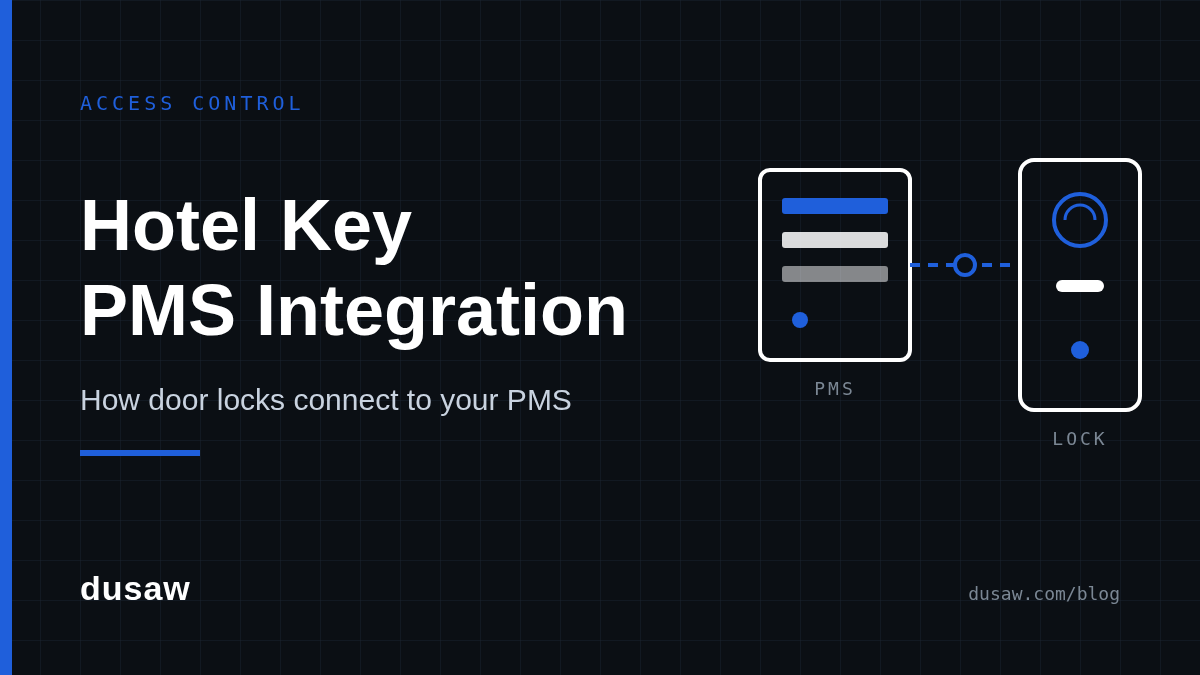
When a front-desk agent checks a guest in, two systems have to agree: the property management system (PMS) that holds the reservation, and the lock system that decides which door opens. A good hotel key PMS integration makes that agreement automatic. A poor one, or none at all, means agents type the same room number and dates twice, keys outlive check-outs, and room moves turn into a trip back to the desk. This guide explains how the connection works, what data actually flows between the two systems, and what to test before you go live.
In a hotel key system, the PMS is the source of truth for who is staying, which room they are in and for how long. The lock system is the source of truth for which credentials each door accepts. Integration is simply the set of messages that keeps the second system in step with the first, so that a change in the reservation becomes a change at the door without anyone re-entering it.
That sounds obvious, but it is worth stating because many properties that believe they are "integrated" only have half of it: the PMS can trigger a new key at check-in, but extensions, room moves and early check-outs still have to be handled manually on the lock screen. When you evaluate a hotel key property management system connection, ask about every event in the stay, not just the first one.
How the PMS talks to the locks depends on where the permission lives. Our explainer on how hotel electronic door locks work covers the hardware in detail; here is what each model means for integration.
In the classic model, a hotel key encoder at the front desk writes the room, the common-area doors and the validity window onto the card. The lock reads the card and decides offline. This is how Dusaw's hotel lock software works: cards are encoded at the front-desk encoder, and extending or changing a card means bringing it back to the desk to be re-encoded.
In this model the integration's job is to save typing at the desk. It does not change the physics: because the permission is on the card in the guest's pocket, no software message can alter it remotely. Plan your workflows around that, for example by encoding the full stay at check-in and setting a clear policy for extensions.
In the second model the card is not encoded at all. Dusaw Access software registers the card's unique signature on the specific locks it should open, together with its validity, and pushes those instructions to the doors through Dusaw network hubs and gateways installed at the property. Dusaw Access exposes a full API designed for external property management systems, so the PMS itself can drive the lock events.
This is where integration pays off. Because the permission is on the lock rather than the card, the PMS can reassign a card to another room, change its validity or disable it remotely, wherever the guest happens to be. The trade-off is infrastructure: the property needs the hubs and gateways so locks are reachable.
Map every reservation event to a lock action before you sign anything. A complete hotel room access control system integration typically covers:
Check-in: issue a credential for the assigned room with a start and end time that match the reservation, plus any common areas (fitness room, pool, floor access) the rate includes.
Additional keys: issue a second or third card for the same room without invalidating the first, and record how many are outstanding.
Extension or late check-out: update the end time. On networked locks this can happen from the PMS; on encoded cards the guest must return the card for re-encoding.
Room move: revoke access to the old room and grant the new one in a single step, so there is never a window where one card opens both doors or neither.
Early check-out or cancellation: end access immediately rather than waiting for the original expiry.
Lost card or phone: disable the specific credential and issue a replacement, without disturbing other guests' keys.
Staff and contractor access: usually managed in the lock software rather than the PMS, but confirm where it lives so it does not get overwritten by a sync.
Seam's documentation describes the same building blocks in vendor-neutral terms: according to Seam's access control systems guide, an access control system manages users, the entrances each user may open, the schedule for that access and the credential type, whether PIN code, mobile key or RFID card. If your integration plan cannot say which PMS event updates each of those four things, it is not finished.
A hotel keyless entry system adds a second credential type to the same flow. With Dusaw, a mobile key is a digital key for a specific lock with a start and end time. Guests use it either as a link in the browser with no app, which unlocks remotely and requires Dusaw hubs, or inside the Dusaw app, which unlocks over Bluetooth when the guest is next to the lock and works even without hubs. Keys can be changed, frozen or deleted remotely through the gateways. There is no Apple or Google Wallet key and no NFC tap.
For integration purposes, treat the mobile key as another credential on the same reservation: check-in issues it, an extension updates it, check-out deletes it. Our hotel mobile key guide covers guest-facing rollout in more depth.
There are three common ways to connect a PMS to a lock system, and the right one depends on the PMS you already run.
Direct API: the PMS calls the lock platform's API for each event. This gives the tightest control and the fewest moving parts, but requires the PMS vendor or your integrator to build and maintain the connector.
Middleware: a connectivity layer translates between many PMS and lock brands through one standardized interface. Seam, which appears on the Dusaw integrations page, is an example of this approach.
PMS-native connection: the PMS vendor has already built the link and you enable it in settings. For franchised hotels this is often the simplest route. Choice Hotels describes choiceADVANTAGE as a web-based property management system for its franchisees, and Choice Advantage is listed among Dusaw's integrations.
Whichever path you choose, confirm the current list of supported platforms on the integrations page before you plan, because connections are added over time. If your PMS is not listed, ask the Dusaw team during the quote process rather than assuming a connection exists.
An integration is a new path into the system that controls your doors, so it deserves the same scrutiny as any other API connection.
Authentication and scope. The PMS should use its own credentials with only the permissions it needs. The OWASP API Security Top 10 (2023) lists broken object-level authorization and broken authentication as the top two API risks; in lock terms, that means one property's PMS must never be able to issue a key for another property's room.
Keep payment data out. The lock system needs a guest name, room and dates, not card numbers. The PCI Security Standards Council notes that PCI DSS applies to entities that store, process or transmit cardholder data, so keeping payment fields out of the lock integration keeps it out of that scope.
Audit trail. Every credential issued, changed or revoked should be logged with the user or system that did it, so a disputed entry can be traced back to a PMS event or a staff action.
Failure handling. Decide what happens when the PMS cannot reach the lock platform: does the agent see an error, is the request queued, and who is alerted?
Governance. If your company follows the NIST Cybersecurity Framework, add the integration to your asset inventory and access-review cycle like any other connected system.
Before switching over, run a scripted test on a real door with a test reservation. At a minimum:
Check in a test guest and confirm the card or mobile key opens the assigned room and the included common areas, and nothing else.
Issue a second key and confirm both work.
Extend the stay in the PMS and confirm the lock reflects the new end time (or, on encoded cards, that the re-encode workflow is clear to staff).
Move the guest to another room and confirm the old room no longer opens.
Check the guest out early and confirm access ends immediately on networked locks.
Disconnect the network to a hub and confirm already-registered credentials still work at the door, then reconnect and confirm pending changes arrive.
Review the audit trail and confirm each step above is recorded.
Repeat the test after any PMS upgrade. Integrations rarely fail on day one; they fail quietly after a version change.
If your property has a staffed desk, standard stays and limited room moves, encoder-based cards with a PMS connection that pre-fills the encoder may be all you need. If you want contactless arrival, frequent room changes, remote extensions or the ability to kill a lost card instantly, the networked model is the one that lets the PMS act on the door directly. It is worth deciding with your multi-year plans in mind, not just this year's check-in routine.
To see how Dusaw packages locks, encoders, software and integrations for hotels, visit the hotel access control system page, or read more about our work in hospitality.
It is the connection that lets the property management system tell the lock system who is staying, in which room and for how long, so keys are issued, updated and revoked without staff re-entering the reservation on a separate lock screen.
Only on networked systems where the permission lives on the lock. With Dusaw Access, the card's signature is registered on the locks through Dusaw hubs and gateways, so validity can be changed remotely; encoded cards from front-desk hotel lock software must be brought back to the desk to be re-encoded.
A hotel key encoder is the front-desk device that writes the room, common-area access and validity window onto a key card. The lock then reads that data offline to decide whether to open.
The current list is on the Dusaw integrations page and includes Choice Advantage, Seam, RemoteLock, Payquad, Jervis and Pepperl+Fuchs. If your PMS is not listed, ask the Dusaw team during the quote process.
No. The lock integration only needs reservation details such as guest name, room and dates. Keeping payment data out of the lock connection keeps it outside PCI DSS cardholder-data scope.
On Dusaw's networked model the lock decides locally at the door, so already-registered credentials keep working during a network outage; new changes are delayed until connectivity returns. Test this scenario before go-live.