Industries
Industries
By Dusaw Team
How key fob entry systems work in apartment buildings, why secure fobs beat legacy prox, and how to plan issuing, revoking and auditing fobs across common and unit doors.
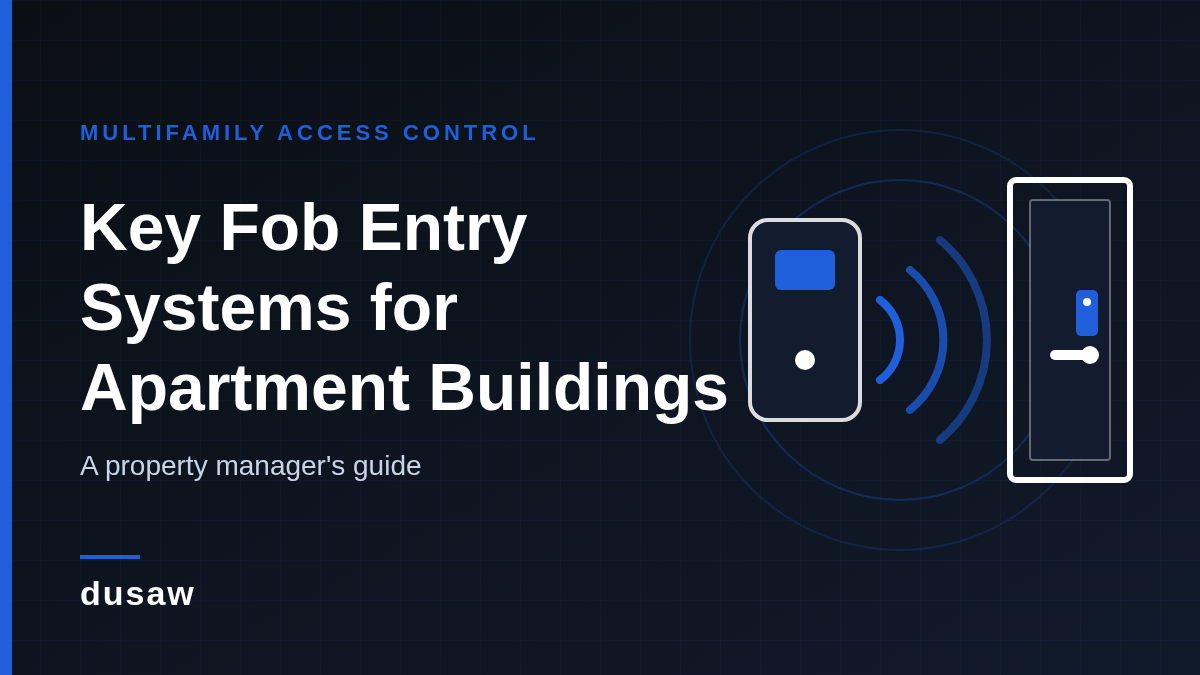
A key fob entry system for buildings is still the most common way apartment residents get through the front door, into the garage and onto the amenity floor. Fobs are cheap to issue, hard to break and easy for residents to understand. But the fob itself is the least interesting part of the system. What matters to a property manager is what sits behind it: which doors read it, how quickly it can be turned off, whether a copy can be made at a kiosk, and how much staff time every move-in and move-out costs.
This guide is written for property managers, owners and integrators who are installing a new building key fob system or replacing an old one. It covers how fob access works, the difference between legacy proximity fobs and secure smart credentials, how fobs coexist with cards and mobile keys, and a practical checklist for planning and running the system. If you need the broader picture first, start with our guide to multifamily keyless entry systems.
Every fob system, regardless of brand, is made of the same four layers:
Credentials: the fobs themselves, plus any cards, wristbands or mobile keys that share the same system. A fob is simply an RFID credential in a keyring-sized shell.
Readers and locks: wall readers that release an electric strike or maglock on common doors, or electronic locks with a built-in reader on unit and amenity doors.
Management software: where staff create residents, assign access groups (main entrance, garage, gym, pool, unit), set schedules and review the audit trail.
Connectivity: controllers, hubs or gateways that connect doors to the software so changes take effect without someone walking to each door.
The quality of a key fob access system is decided mostly by the last two layers. Two buildings can hand residents identical-looking fobs and have very different security and workload depending on how credentials are managed.
Most multifamily properties use fobs for shared spaces and decide separately what opens the unit door:
Perimeter doors and lobbies: the highest-traffic readers and the most important to revoke quickly when a fob is lost.
Garage gates and parking doors: often on a separate controller, so confirm the same fob and the same resident record work there.
Amenities: gyms, pools, rooftops and package rooms usually need schedules (for example, pool access only during posted hours).
Service areas: mechanical, trash and storage rooms should be limited to staff and approved vendors.
Unit doors: some properties keep mechanical keys here; others use electronic unit locks so one fob opens both the building and the apartment.
Putting unit doors on the same platform is where most of the operational savings come from, because move-outs no longer require rekeying. Our multifamily access control page shows how Dusaw handles residents, staff and vendors across common and unit doors.
"Key fob" describes a shape, not a technology. Under the plastic, building fobs fall into two broad groups.
Older systems use 125 kHz proximity ("prox") fobs. In their simplest form these transmit a facility code and a serial number to the reader. According to HID Global's guidance on legacy downgrade attacks, classic Prox credentials have no electronic security at all, and credential numbers should be treated like passwords. In practice this is why residents can sometimes get a prox fob copied at a kiosk, which leaves management with credentials it never issued and cannot track.
Newer fobs and cards operate at 13.56 MHz and add mutual authentication and encryption between the credential and the reader. HID describes its dual-frequency Seos + Prox card as a way to migrate from 125 kHz proximity to high-frequency credentials without replacing every card on day one. The same HID guidance is clear about the catch: once a migration is complete, the less secure legacy credentials must be disabled in the readers, otherwise the old risk remains.
For an apartment building, the practical takeaway is simple: if you are buying new readers or locks, specify secure high-frequency credentials, plan a migration period with a fixed end date, and switch off legacy prox support when it ends.
The day-to-day experience depends on how the software ties a fob to doors. Dusaw supports two models, and choosing between them is one of the most important decisions in a project.
The credential is programmed at an encoder with the doors and dates it can open. This works well offline, but changing access means bringing the fob or card back to the office to re-encode it.
With Dusaw Access software, the credential is not encoded. Instead, its unique signature is registered on the specific locks it should open. That means staff can reassign a fob to another unit, change its validity dates or disable it remotely, without the resident coming back to the office. Remote changes require Dusaw network hubs or gateways at the property.
For long tenancies, registered credentials are usually the better fit: a resident who loses a fob on a Saturday night can have it disabled immediately and a replacement issued in minutes. In the Dusaw software, staff can create RFID cards, fobs or wristbands in seconds, so issuing a replacement is a short front-desk task rather than a service call.
Few buildings run on fobs alone. A mixed credential strategy usually serves residents best:
Key fobs: durable, fit on a keyring and work for every resident regardless of phone. The default for perimeter and amenity doors.
Cards and wristbands: same reader technology as fobs. Wristbands are popular for pools and gyms.
Mobile keys: a Dusaw digital key has a start and end time per lock. Residents can open it as a link in the browser with no app, which unlocks remotely and requires Dusaw hubs, or use it in the Dusaw app to unlock over Bluetooth when standing next to the lock, which works even without hubs. Mobile keys are useful for tours, guests and vendors who should never hold a physical credential.
PIN codes: handy for temporary access, but codes are shared easily, so reserve them for situations where that is acceptable.
The goal is one resident record with several credential types attached, so a move-out removes everything at once.
Use this checklist before you request quotes:
Inventory every door. List perimeter, garage, amenity, service and unit doors, the existing hardware on each and whether it is a fire-rated or egress door.
Choose the credential technology. Specify secure high-frequency fobs and cards. If legacy prox fobs are in circulation, define a migration window and a cut-off date.
Define access groups and schedules. Residents, staff, maintenance, vendors and couriers each need different doors at different times. Write these down before configuration starts.
Decide how changes reach the doors. If you want remote reassignment, freezes and instant revocation, budget for the hubs or gateways that make it possible.
Connect the software you already use. Check which property platforms integrate with the lock system; current Dusaw partners are listed on our integrations page.
Plan for power and maintenance. Battery-powered locks should report their status. In Dusaw systems, low-battery warnings are sent to the property administrator so batteries are replaced before a resident is affected.
Check accessibility. Readers and locks are operable parts. The U.S. Access Board's guide to ADA operable parts explains that they must be usable with one hand and must not require tight grasping, pinching, twisting of the wrist or more than 5 pounds of force. Mount readers within accessible reach ranges.
Respect life safety codes. Access control must never prevent people from getting out. NFPA describes the Life Safety Code (NFPA 101) as covering life safety in both new and existing structures; confirm egress and fire-door requirements with your local authority having jurisdiction before electrifying any door.
A risk-based approach helps here. NIST's SP 800-116 Rev. 1, written for federal facilities, frames credential selection as a risk-based choice of authentication mechanisms. Apartment buildings do not need federal-grade controls, but the principle carries over: a package room or server closet deserves stronger controls than a gym door.
Create the resident in the software, assign the unit and building access groups, and issue fobs together with any mobile key. Record which fob numbers went to which resident; as HID notes, credential numbers deserve the same care as passwords.
Disable every credential on the resident record on move-out day, whether or not the fobs are returned. With registered credentials, returned fobs can be reassigned to the next resident instead of thrown away.
Make revocation a same-hour task. A lost fob that still opens the lobby is the most common gap in apartment building security, which we cover in more depth in our apartment building security guide for property managers.
Give contractors time-limited access to the doors they need instead of lending a staff fob. Time-boxed mobile keys work well for one-off visits.
Review the audit trail regularly for fobs that have not been used in months, credentials attached to vacant units and staff fobs with more access than the role needs.
Which credential technologies do the readers and locks support, and can legacy prox be switched off?
Can a fob be disabled, reassigned or given new dates remotely, and what infrastructure does that require?
Do common-door readers and unit locks share one resident record and one audit trail?
Which property management platforms are integrated today?
Who is alerted about low batteries or offline devices?
What happens to access if the internet connection or a hub goes down?
A good key fob entry system for apartment buildings is less about the fob and more about control: secure credentials that cannot be copied at a kiosk, software that revokes access instantly, and one system for common and unit doors. Get those right and move-ins, move-outs and lost fobs become routine tasks instead of security incidents. To scope a fob, card and mobile key system for your property, request a quote from Dusaw.
Each fob carries an RFID credential that a reader or electronic lock checks against the access rules in the management software. If the fob is allowed on that door at that time, the door unlocks and the event is logged in the audit trail.
Legacy 125 kHz proximity fobs have no electronic security and can often be duplicated. High-frequency smart credentials add authentication and encryption, which is why new systems should specify them and switch off legacy prox support after migration.
Staff should disable the fob in the software right away and issue a replacement. With registered credentials and Dusaw hubs or gateways in place, this can be done remotely without touching any door.
Yes, if the unit locks and the common-door readers are managed in the same system. That lets one resident record control the lobby, garage, amenities and unit, and makes move-outs a single step.
Most buildings use both. Fobs work for every resident regardless of phone, while time-limited mobile keys suit guests, tours and vendors who should not hold a physical credential.